AI automation services
AI automation inside the systems you already use
We put AI at the decision points of your workflow: reading incoming orders, sorting requests, drafting quotes and replies, checking documents. Rules handle what rules can, AI handles what needs judgment, and anything it is unsure about goes to a person.
Most AI projects stall because nobody designs where AI fits in the process. We start with the process, connect to the tools you already use instead of replacing them, and prove it with a pilot before the full build.
- 20+ AI workflows running in our own company
- 2–4 week pilot first
- No final payment if the pilot doesn’t convince you
AI workflow automation for the work your team repeats every day
Six places we build custom AI solutions into business software. In each one, a person stays in charge of what goes out the door.
AI customer service and chatbots
An AI agent answers routine questions from your own knowledge base and hands the rest to a person, with high-risk messages flagged so they never slip through.
AI sales assistant
Organizes customer data, drafts personalized outreach and ranks leads, so your sales team spends its time on conversations instead of sorting.
AI-assisted quoting
A customer describes what they need, AI drafts the quote with your pricing rules, volume discounts and stock, and a salesperson checks it before it goes out.
AI document processing
Contracts, orders and invoices are read, classified and entered into the right system, with mismatched fields caught before they cause problems.
Internal knowledge assistant
Your SOPs, product manuals and past cases behind one AI assistant, so staff can ask instead of searching, and knowledge stays when people leave.
Back-office workflow assistant
Routine approvals and notifications for HR, accounting and admin move forward on their own, so the owner stops being the bottleneck.
AI agents for business, with a person at both ends
A single chatbot mixes every judgment together. We split the work across specialist agents that pass structured results along a decision chain, so each step can be explained and tuned.
Your data only
Each agent works from your company’s own data and does not browse the web for answers.
Confidence scores
Key steps return a confidence score and the reasoning behind it. Low-confidence cases go to a person automatically.
Every decision logged
Each agent decision is recorded, so you can trace what happened and why.
People approve the risky parts
AI can read and propose, but writing to your database and anything involving payments needs a person’s sign-off. That is the default architecture, not an add-on.
Read-only first
We connect to your systems read-only and observe for a week before AI is allowed to write anything.
Senior engineers own the design
A senior engineer sets the architecture, and a project manager and an engineer both sign off before anything goes live.
Example: from an inquiry to a quote
- 01An inquiry arrives by email or chat
- 02Agents read the request and match it to your product specs
- 03Stock and lead times are checked
- 04Your pricing rules and volume discounts are applied
- 05A quote PDF is drafted
- 06A salesperson approves it before it is sent
Connect AI to the tools you already use
You don’t have to replace your systems to add AI.
Systems we have connected
- Salesforce
- HubSpot
- Pipedrive
- Shopify
- WooCommerce
- SAP
- In-house ERP and CRM APIs
- Slack
Models we work with
- OpenAI GPT
- Anthropic Claude
- Google Gemini
- Open-source Llama and Mistral
If your data must stay in-house
- Open-source models on your own GPU server
- Dedicated Azure OpenAI or AWS Bedrock instances
- The whole agent layer and database inside your own VPC
Pilot first, then the full build
You can stop after any stage.
- 01
A free call about your process
We find the most painful step and which parts of your workflow suit AI. No charge and no sales pitch.
- 02
A working pilot
We build a pilot connected to one or two of your systems and check in on progress every week. If it doesn’t convince you, you don’t pay the final installment.
- 03
Full build and launch
Integration across your systems, team training and an operating guide, plus three months of free optimization after launch. If you go ahead, the pilot fee can count toward the full build.
20+ AI workflows run inside our own company every day
From our AI CRM to the agents that operate our quoting software, AI is part of how we run our own company, not just something we sell.
AI systems we have built
One client system and two we run in our own company every day.
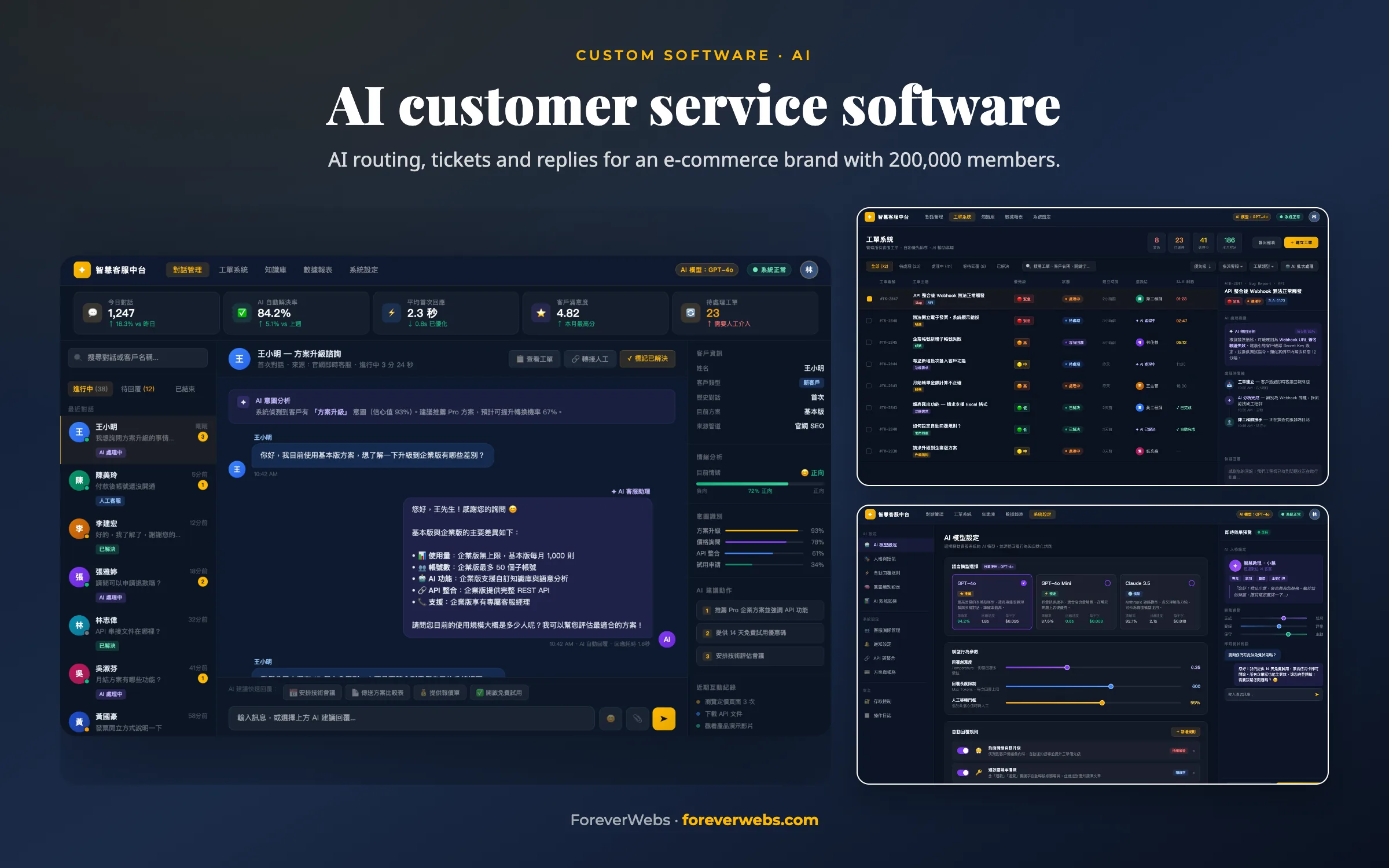
AI customer service software
An AI system that answers routine customer messages right away and hands complex cases to a person with the full conversation attached. Average response time dropped from 4 hours to 3 minutes, and customer service staffing costs fell 60%.
Response time: from 4 hours to 3 minutes
Read the case study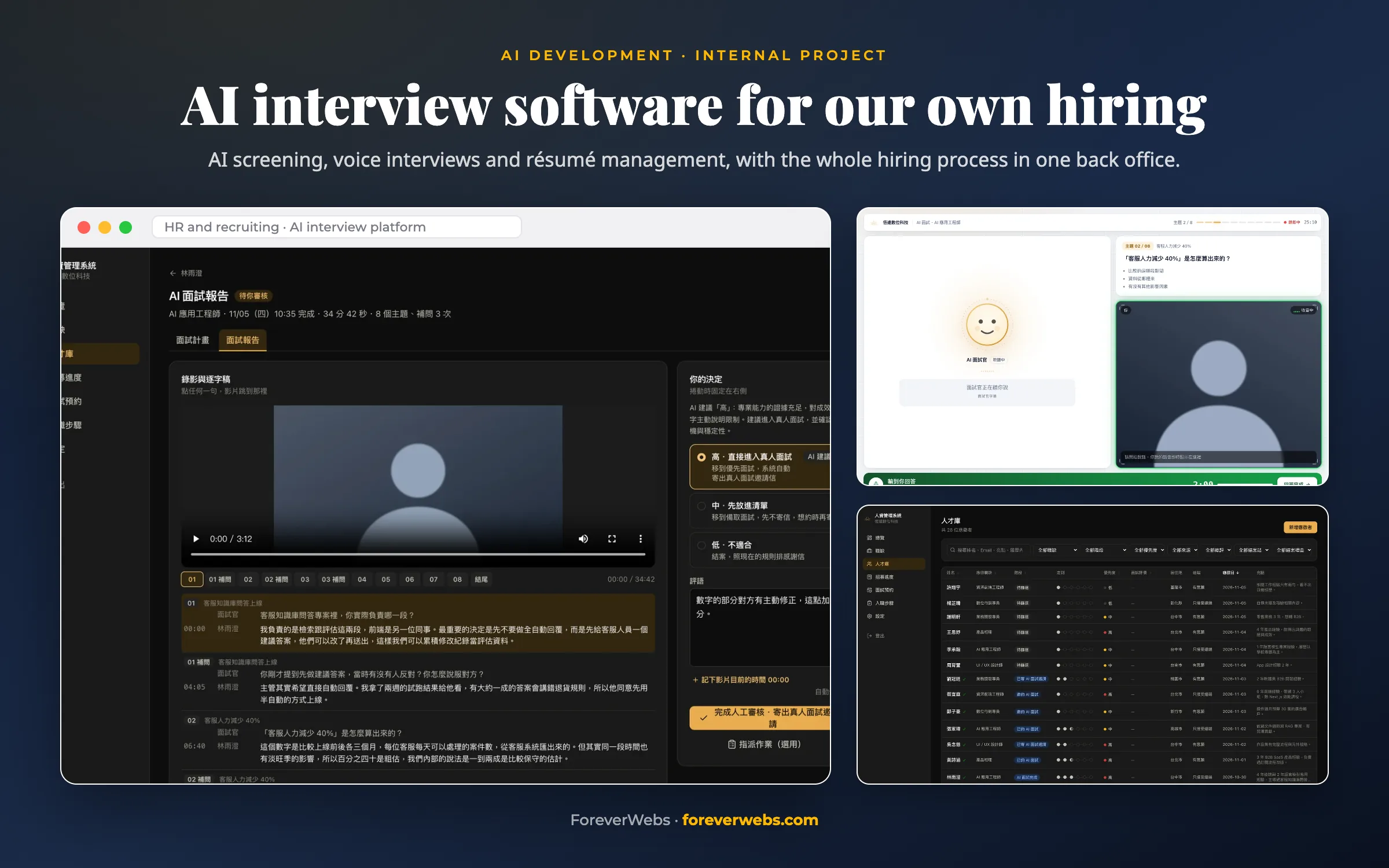
AI interview software for our own hiring
Reading resumes and running first-round interviews were the most time-consuming parts of our hiring, so we built software for our own recruiting. AI reviews applications and runs voice interviews to gather the evidence first, and a person makes every final decision.
8-question interview plan: 4 resume checks and 4 shared questions
Read the case study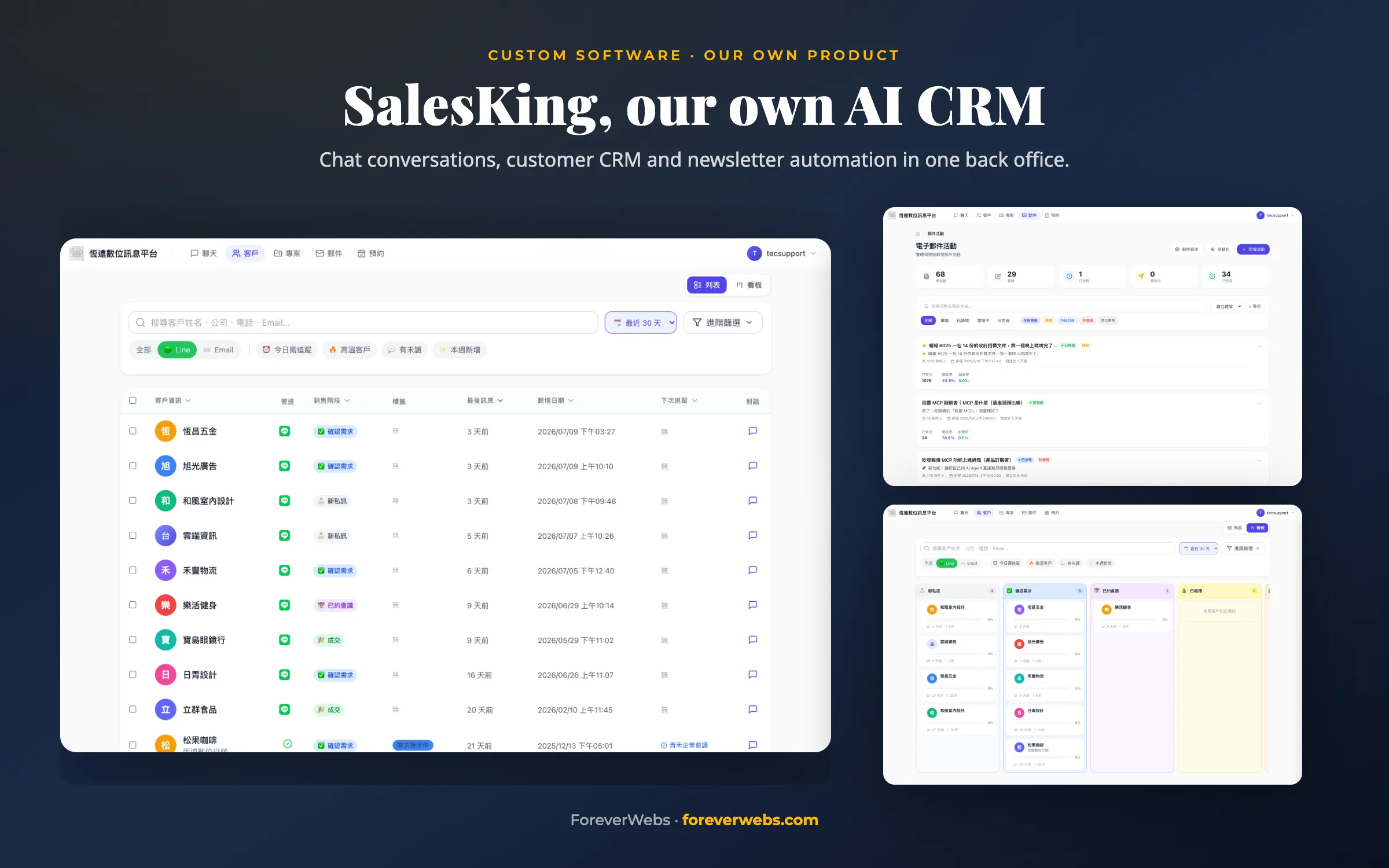
SalesKing, our own AI CRM
Our sales conversations were in LINE, customer lists in Excel and newsletters in a third tool. We built one back office for all three, with AI that reads conversations and identifies each customer’s sales stage. The contact form on our own website feeds straight into it.
37 data models on one customer record
Read the case study
Questions we often get
What is AI workflow automation?
AI workflow automation puts AI inside a business process to handle the steps that need judgment, such as reading a message, classifying a document or drafting a reply. Fixed rules still handle the predictable steps, and a person approves anything risky. Think of it as business process automation that can handle judgment calls.
How is a multi-agent system different from a single AI chatbot?
A single chatbot mixes different kinds of judgment in one place, which gets messy on complex cases. A multi-agent system gives each step to a specialist agent (understanding the request, looking things up, making a judgment, taking action) that passes structured results to the next one. That makes it much easier to explain, test and tune.
We already use n8n or Zapier. Why would we need AI agents?
Tools like n8n run fixed rules: when A happens, do B. AI agents decide from context and can change course when a case doesn’t fit the rules. When the rules are clear, a rules-based tool is enough. When situations vary and need judgment, agents help, and the two often work together.
How do you stop AI agents from making things up or making wrong decisions?
Three layers. Each agent works only from your company’s own data and does not search the web. Key steps return a confidence score and reasoning, and low-confidence cases go to a person automatically. Every decision is logged, so it can be traced afterward.
Can you connect AI to our existing ERP or CRM?
Yes. We have connected Salesforce, HubSpot, Pipedrive, in-house CRMs, Shopify, WooCommerce, SAP and in-house ERP APIs, as well as Slack and email. We connect read-only first and observe for a week, then allow AI to write once the data flow is confirmed.
Can our data stay inside our company?
Yes. Options include open-source models such as Llama 3, Mistral or Qwen on your own GPU server, dedicated Azure OpenAI or AWS Bedrock instances, or the whole agent layer and database inside your own VPC. They can be combined.
How long does an AI automation project take?
For a small project (three or four agents connected to one or two systems), the pilot takes 2–4 weeks and the full build 6–8 weeks. A medium project (five or six agents, three or more systems) takes 4–6 weeks for the pilot and 10–14 weeks for the full build. Large multi-chain projects with private deployment take four to six months.
What happens after launch?
The full build includes three months of free optimization: we watch the quality of agent decisions, feed mistakes back into the prompts or training data, and switch models as better ones come out. After that, ongoing support is optional, and it is the same engineering team either way.
Who owns the code?
You do. You receive the complete source code and deployment documents. Deploy it yourself, move it to your own environment, hand it to another team or keep us on. There is no lock-in, and with private deployment the data stays with you too.
What else we build
Custom software development
ERP, CRM, inventory, portals and dashboards built around your process.
Quoting software
Custom quoting and CPQ systems for pricing no template handles.
Find the step in your workflow that AI should take over
In a free 30-minute call, an engineer looks at your process with you and points to a concrete place to start. If AI isn’t the right fit, we will say so.